

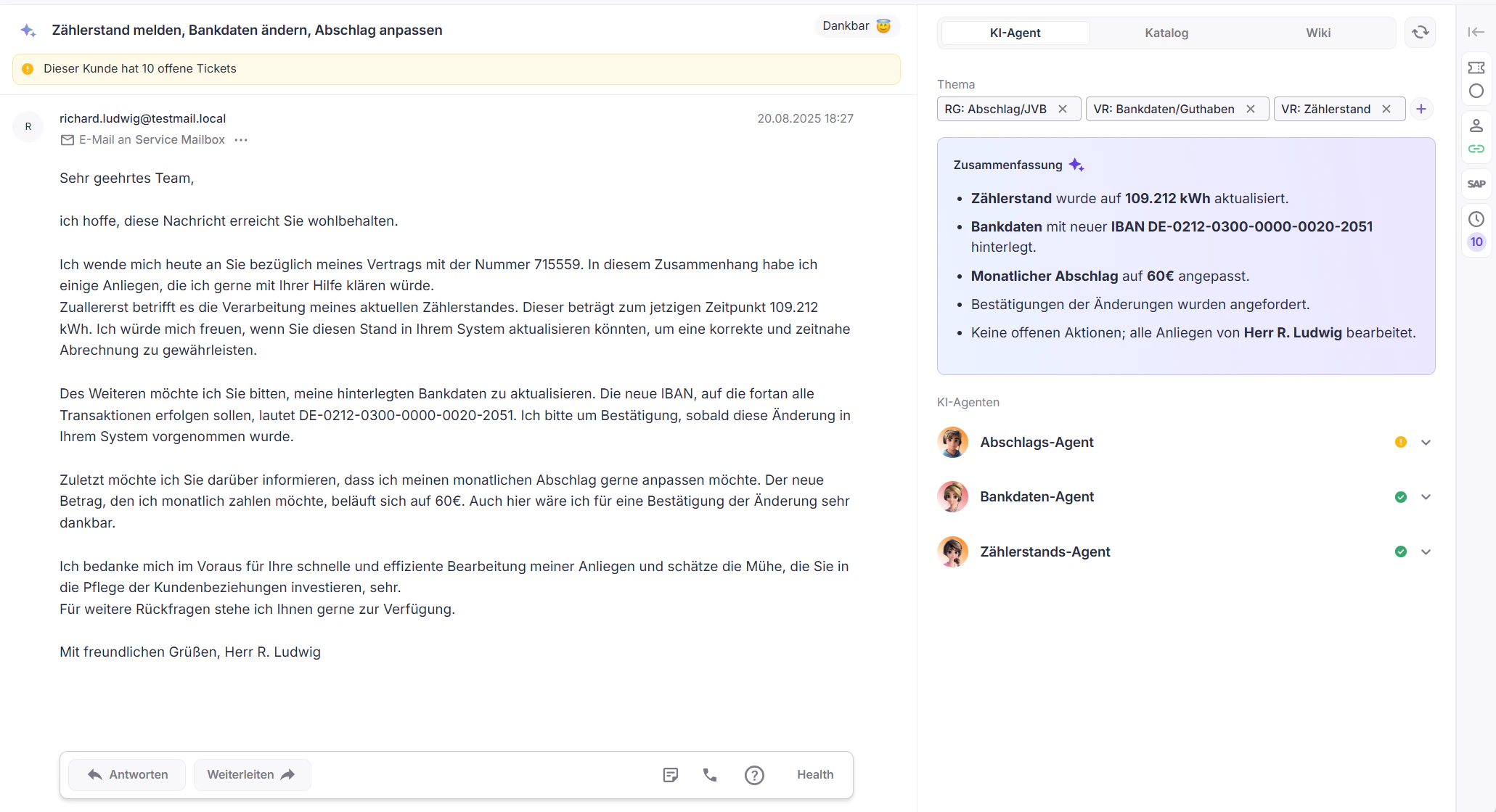
- Left - Customer Request
- Center - Processing
- Right - Information About the Ticket and Customer
The left area displays the actual customer request and all information relevant to the substantive understanding of the ticket.AI-supported classification
Directly in the context of the concern, an automatically generated summary is displayed. In addition, the AI assesses the mood of the customer, visualized by an emoji, to allow a quick assessment.Hints in the processing context
Context-dependent notes or system-side information are displayed as banners, for example in case of special abnormalities or dependencies in the ticket.

The most important metadata is clearly displayed below the content, including subject, sender, recipient, and sending date.Interaction with the customer request
The classical processing functions are available in the upper area, for example:
Directly in the context of the concern, an automatically generated summary is displayed. In addition, the AI assesses the mood of the customer, visualized by an emoji, to allow a quick assessment.Hints in the processing context
Context-dependent notes or system-side information are displayed as banners, for example in case of special abnormalities or dependencies in the ticket.
The most important metadata is clearly displayed below the content, including subject, sender, recipient, and sending date.Interaction with the customer request
The classical processing functions are available in the upper area, for example:
- Reply
- Forward
- Record internal notes directly on the ticket