

Creation and Configuration
In theText modules area, templates can be created, edited and removed. The existing structure is derived from the structure of the Skill Tags.
Basic Configuration
Basic Configuration
A new template can be created below the existing structure via the “New Case” button: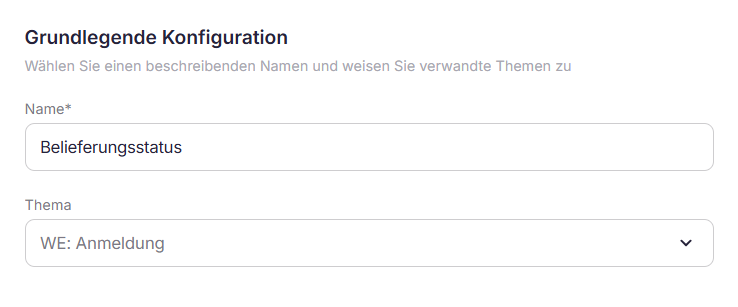
- Name: the designation of the template should be intuitive and content-related to facilitate search in the catalog
- Theme: the template is assigned to either a super- or subcategory of the structure
Text module - fixed
Text module - fixed
The content of the template is stored and saved in the “Text” tab. For fixed text, the preview corresponds to the content of the template.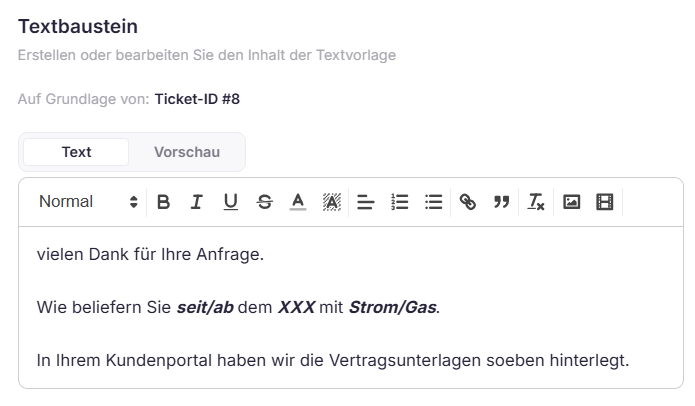
Text module - dynamic
Text module - dynamic
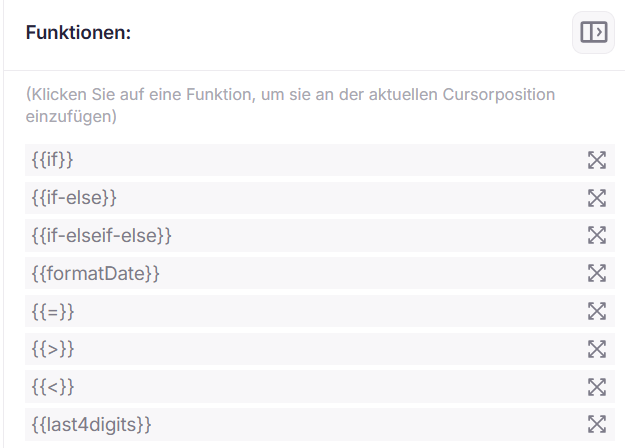
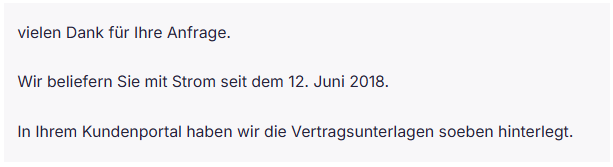
The text editor allows the contents to be designed in a dynamic way. Variables can be taken over from reference tickets, and possibly linked with functions.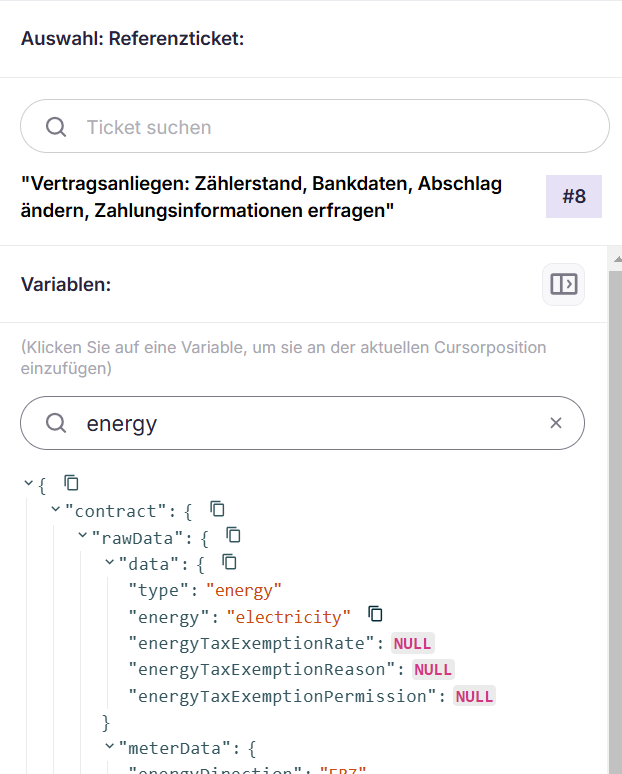
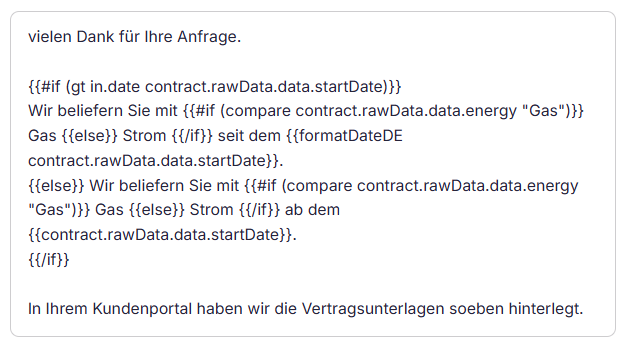
Text
Preview
Custom functions (Helpers)
Custom functions (Helpers)
In addition to the standard Handlebars syntax, Enneo provides a number of its own helper functions that can be used directly in templates.
Own Helpers can be combined with Standard Handlebars Block Helpers, e.g.:
| Helper | Signature | Description |
|---|---|---|
contains | contains array "value" | Returns true if the array contains the given string value. Argument order is interchangeable (contains "value" array). |
compare | compare a b | Returns true if both values are equal (loose comparison). |
gt | gt a b | Returns true if a is set and a > b. |
lt | lt a b | Returns true if a is set and a < b. |
and | and a b c … | Returns the last argument if all are truthy, otherwise the first falsy argument. |
or | or a b c … | Returns the first truthy argument, otherwise the last. |
not | not a | Returns the logical negation of a. |
formatDateDE | formatDateDE date | Formats a date in the long German format (for example, 1. January 2025). Accepts "today". Returns [unknown] if empty. |
formatDateEN | formatDateEN date | Formats a date as YYYY/MM/DD. Accepts "today". Returns [unknown] if empty. |
addDays | addDays date days | Adds the indicated number of days to the date and returns it in the long German format. Accepts "today" as a date. |
extractFirstName | extractFirstName "Max Mustermann" | Returns the first word of a string. |
extractLastName | extractLastName "Max Mustermann" | Returns the last word of a string in lowercase. |
last4digits | last4digits "DE12 3456 7890 1234 5678" | Removes spaces and returns the last 4 characters of a string (e.g., for masked account numbers). |
undefined | (internal) | Renders {{varname}} verbatim if a variable is not set - used as a fallback for unresolved placeholders. |
Catalog
Catalog
Access to templates is done during ticket processing in the middle part by clicking on “Catalog”. The existing structure is displayed, through which to navigate to the desired template. Templates can also be directly targeted via search field.